
Frequently Asked Questions
Welcome to our Frequently Asked Questions (`FAQ`) section.
Here you’ll find answers to common questions about https://novelist.world (the `Site`) and our related services (the `Services`).
If you need further assistance, please contact us at support@zoltron.tech or reach out through our official social channels.
- Go to user menu by clicking on the avatar in top right corner.
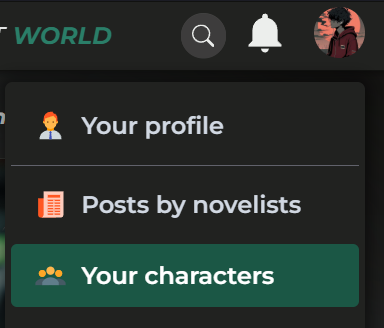
- In the user menu, click on 'Your Characters' option.
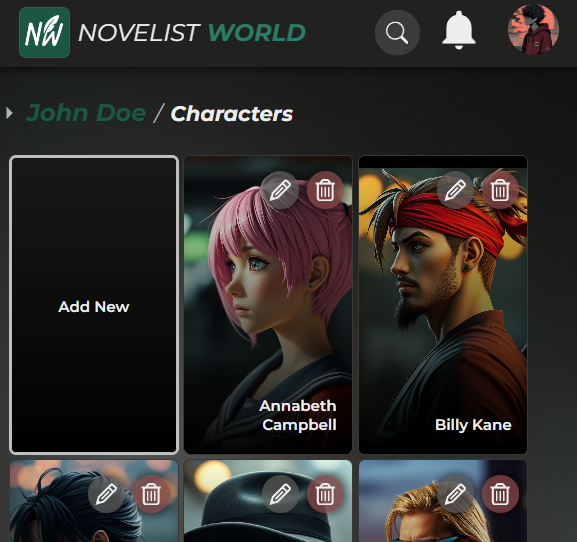
- You should see the list of all your characters there.
- To Add a new character, click on the first blank card that says 'Add New'.
- To Edit an existing character, Hover onto the card of your desired character and click on the pencil icon on top right corner of the card.
- Similarly, click on trashcan icon on top right of the character card to delete the character.
All rights reserved. © 2025 Zoltron Tech.